See this month's money clearly.

Cashflow, budgets, bills and goals — all in one calm place. No bank sync, no sign-in.

Coming soon to the App StoreGoogle Play

For iPhone, iOS 18 or later.For Android 10 or later. Some features need Perawise Pro.
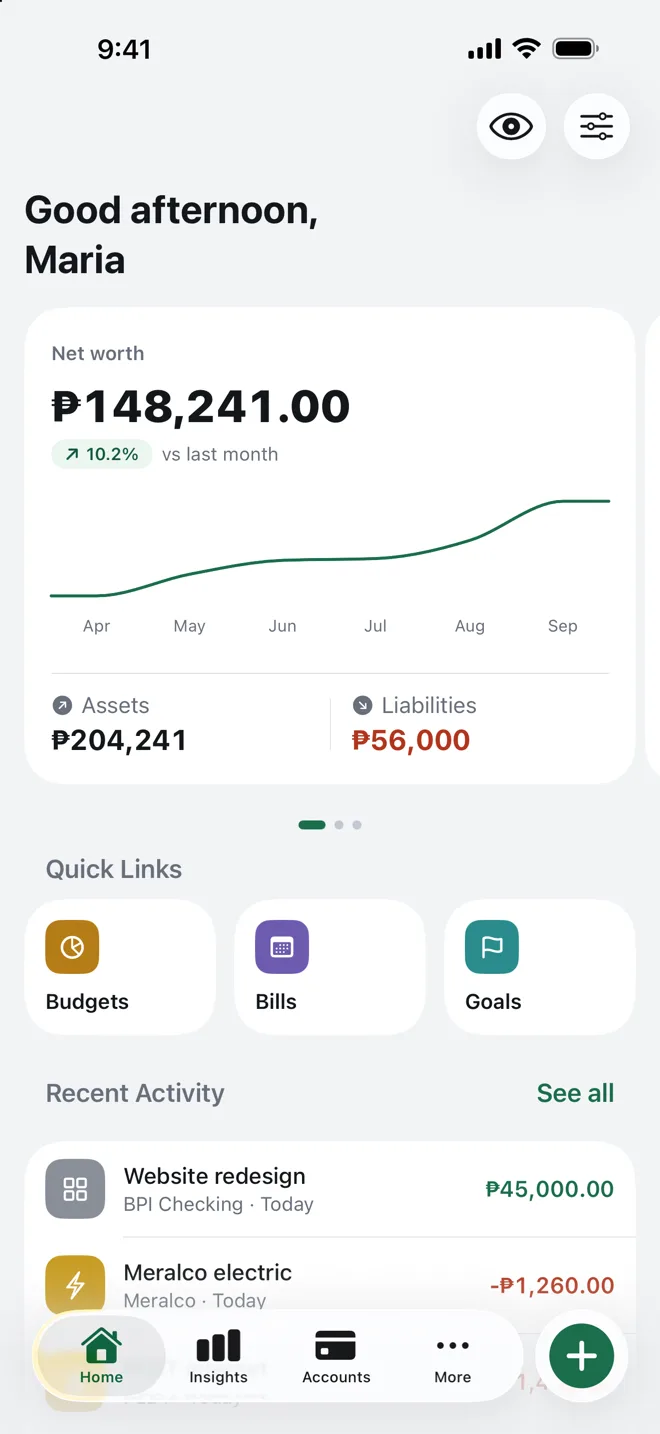
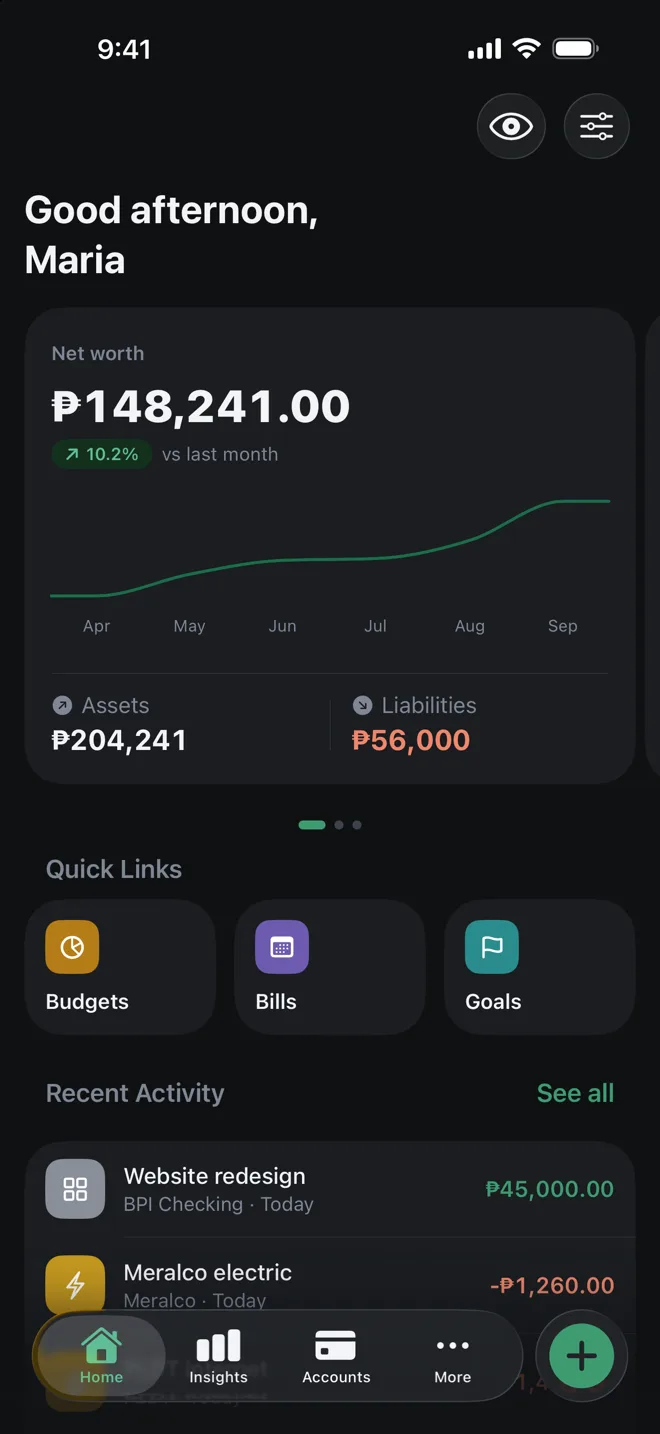
Perawise Home screen: a net worth of ₱148,241.00, up 10.2% on last month, with a six-month trend line, assets and liabilities, and quick links to Budgets, Bills and Goals. Perawise Home screen: a net worth of ₱148,241.00, up 10.2% on last month, with a six-month trend line, assets and liabilities, and quick links to Budgets, Bills and Goals.
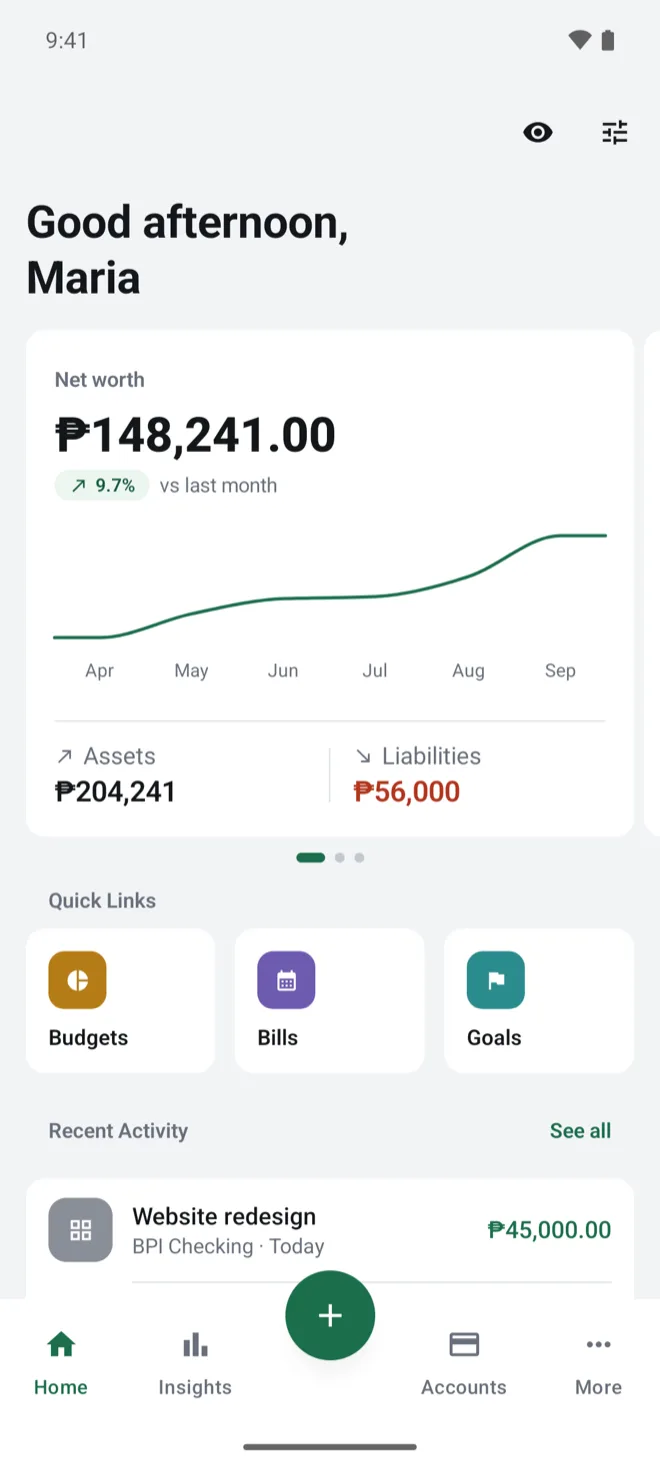
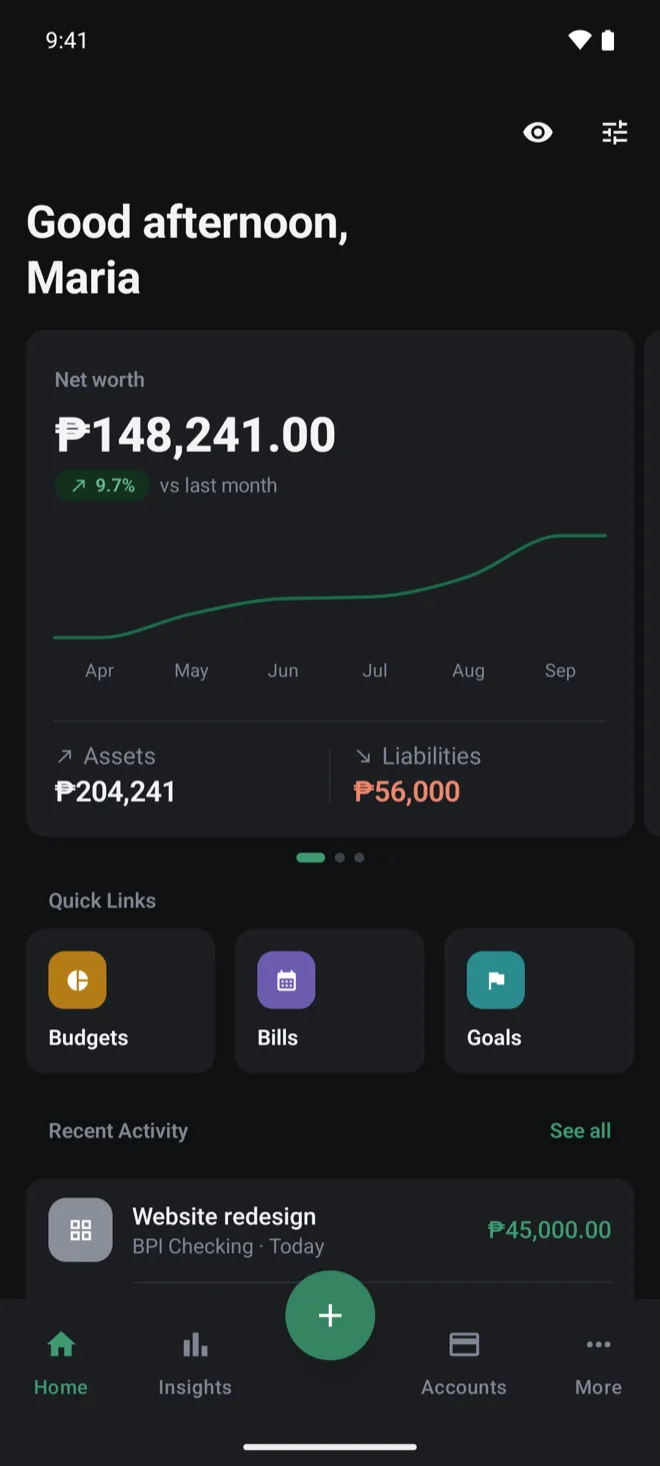
Perawise Home screen: a net worth of ₱148,241.00, up 9.7% on last month, with a six-month trend line, assets of ₱204,241 and liabilities of ₱56,000, and quick links to Budgets, Bills and Goals. Perawise Home screen: a net worth of ₱148,241.00, up 9.7% on last month, with a six-month trend line, assets of ₱204,241 and liabilities of ₱56,000, and quick links to Budgets, Bills and Goals.
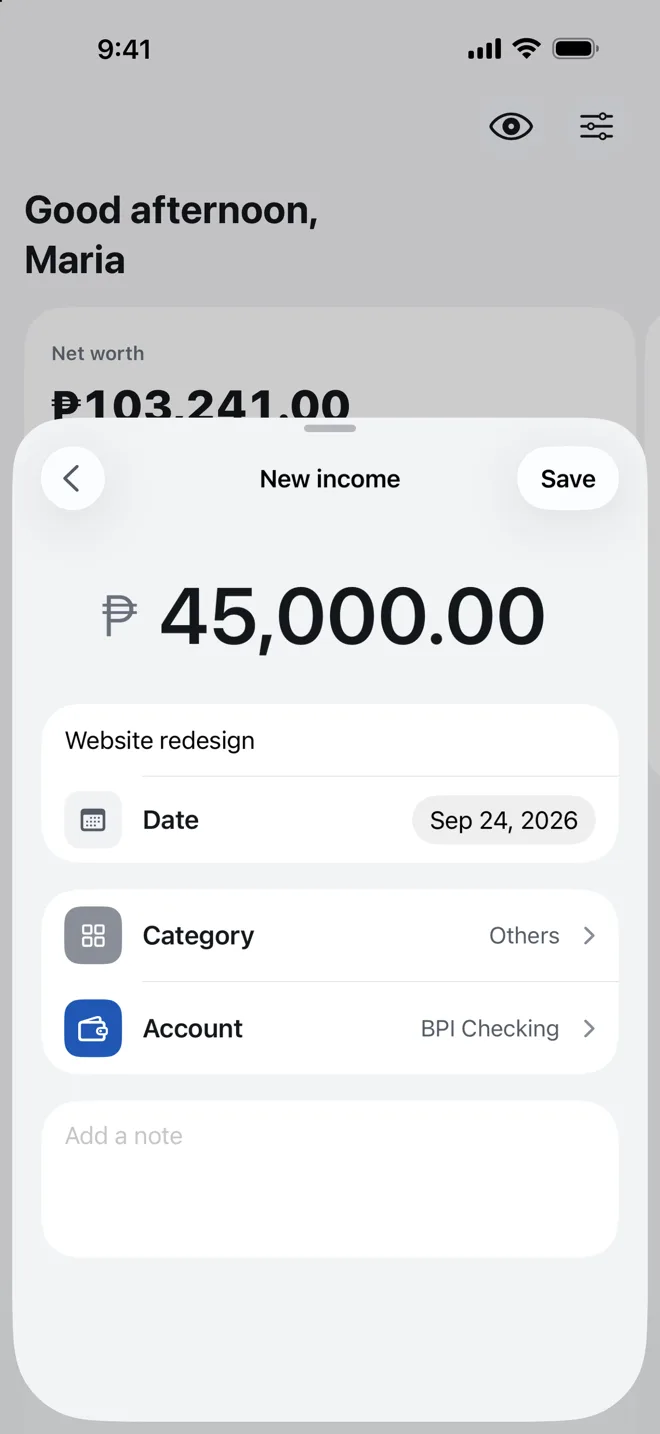
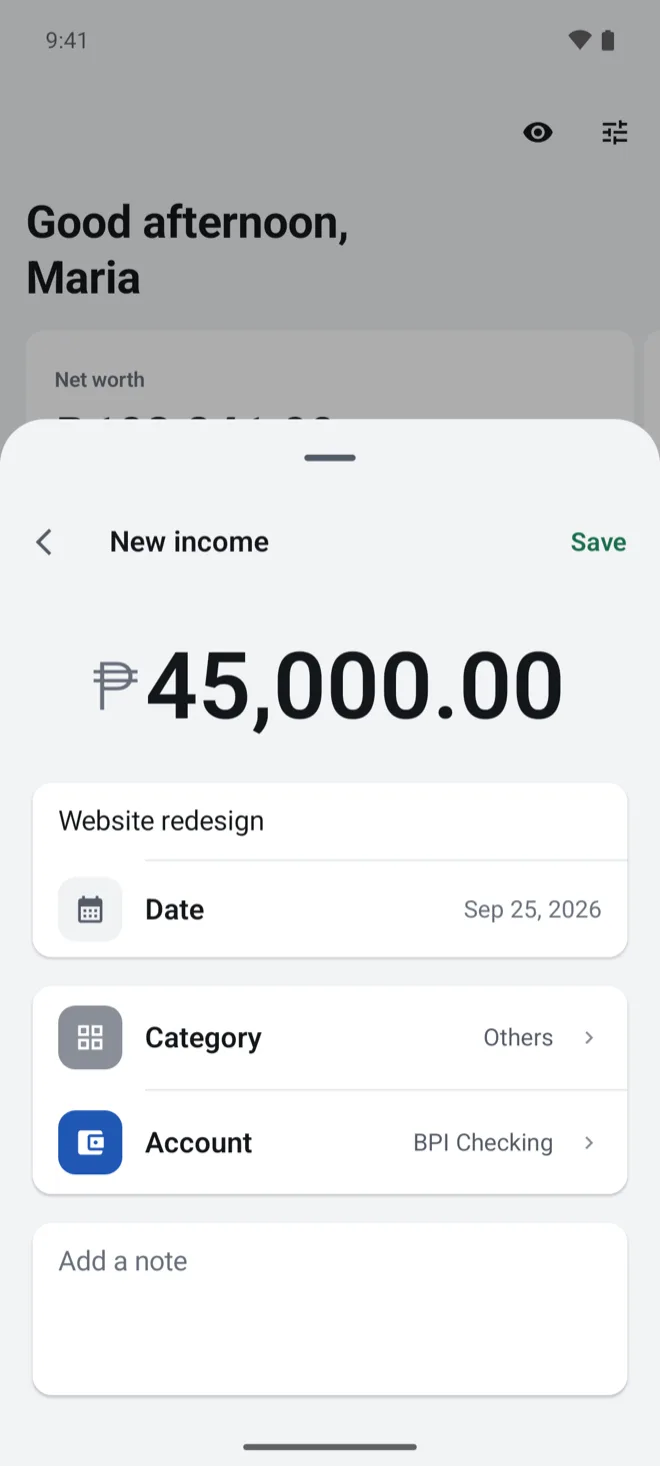
New income: ₱45,000.00 named Website redesign, with a date, a category and an account.
New income: ₱45,000.00 named Website redesign, dated Sep 25, 2026, in the Others category, into BPI Checking.

How it works

Write it down. See the month.

  1. Add an entry

    A big amount, a name, done.

  2. See where it went

    Every expense, grouped by category, with each one's share of the month.

  3. Stay on track

    Budgets, bills and goals show what's left, what's due, and what's on track.

Assistant

Ask about your money

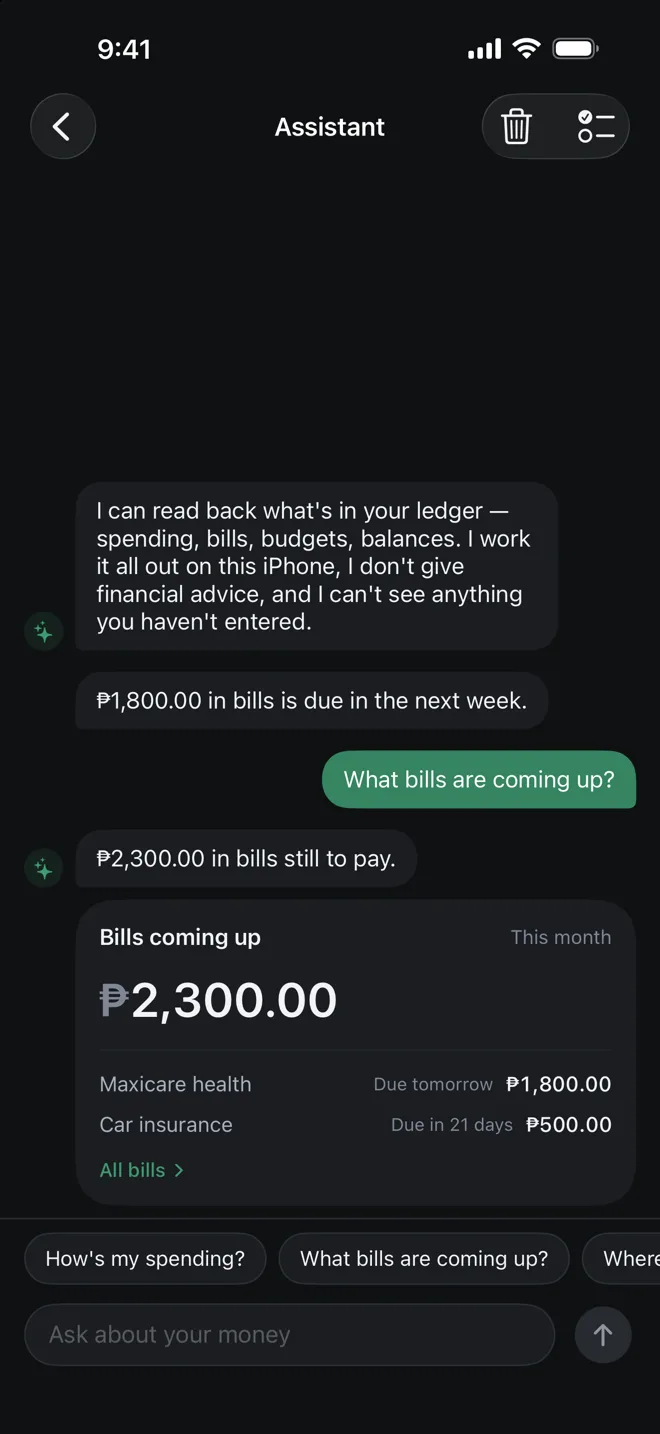
“How's my spending?” “What bills are coming up?” Ask in your own words and get the answer from your own records, worked out on the iPhone itself.

It describes your records — it doesn't give financial advice, and it can't change anything.

Available on supported iPhones: iOS 26 or later, with Apple Intelligence.
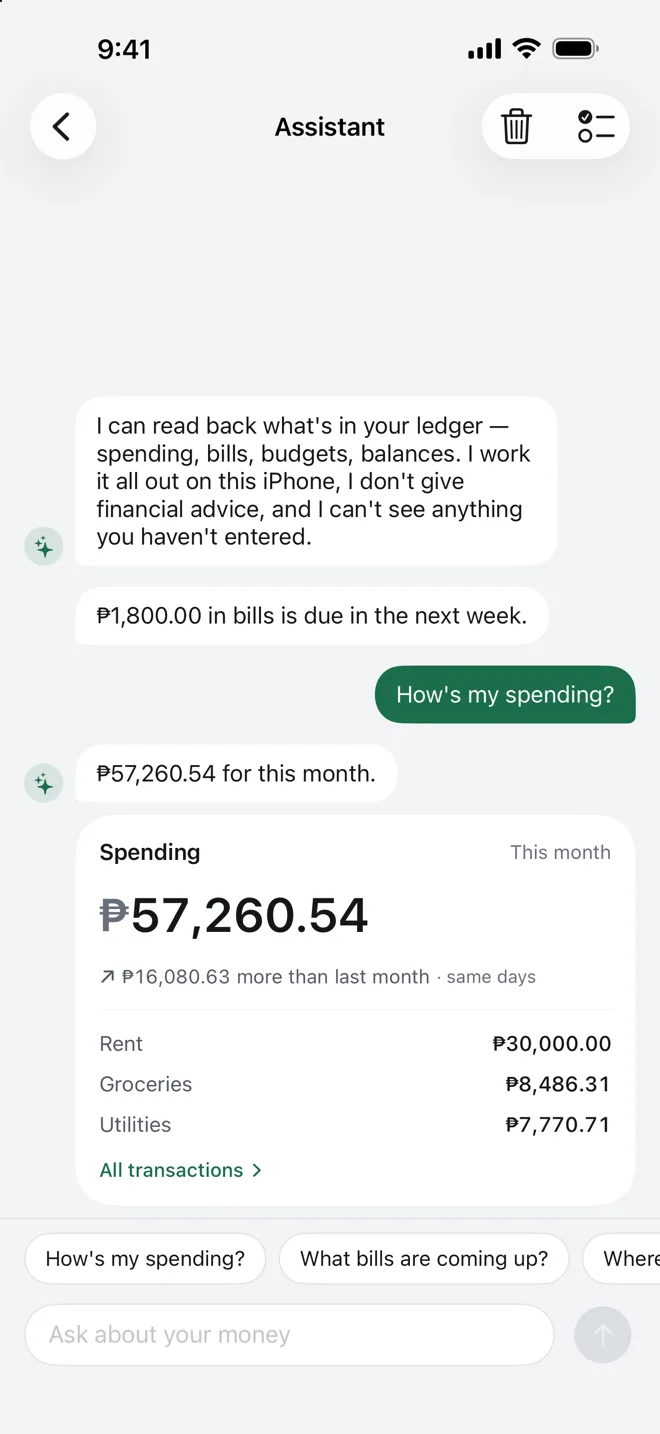
The Assistant screen: questions typed in plain words, like how your spending is going or which bills are coming up, each answered with a short reply and a card of figures from your own ledger. The Assistant screen: questions typed in plain words, like how your spending is going or which bills are coming up, each answered with a short reply and a card of figures from your own ledger.

Hide amounts

One tap hides every amount

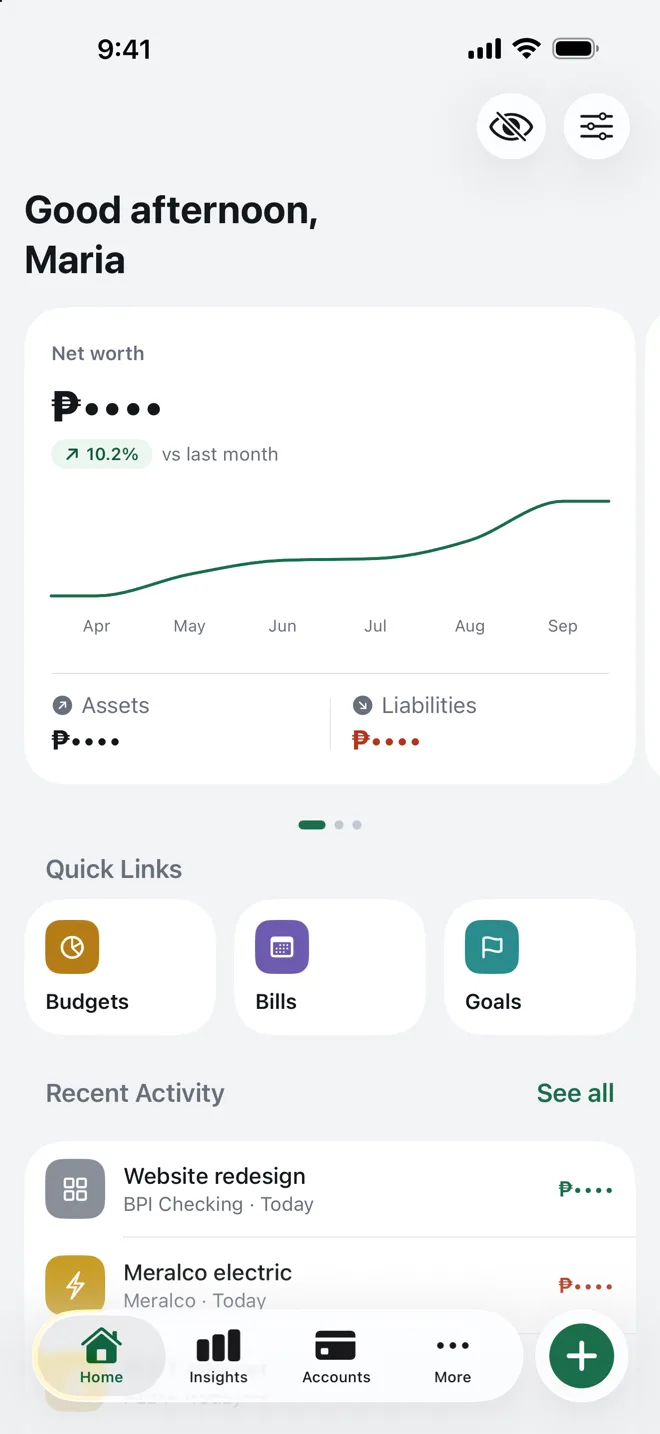
Tap the eye on Home and every amount turns to dots, so you can open Perawise next to someone and keep the numbers to yourself.
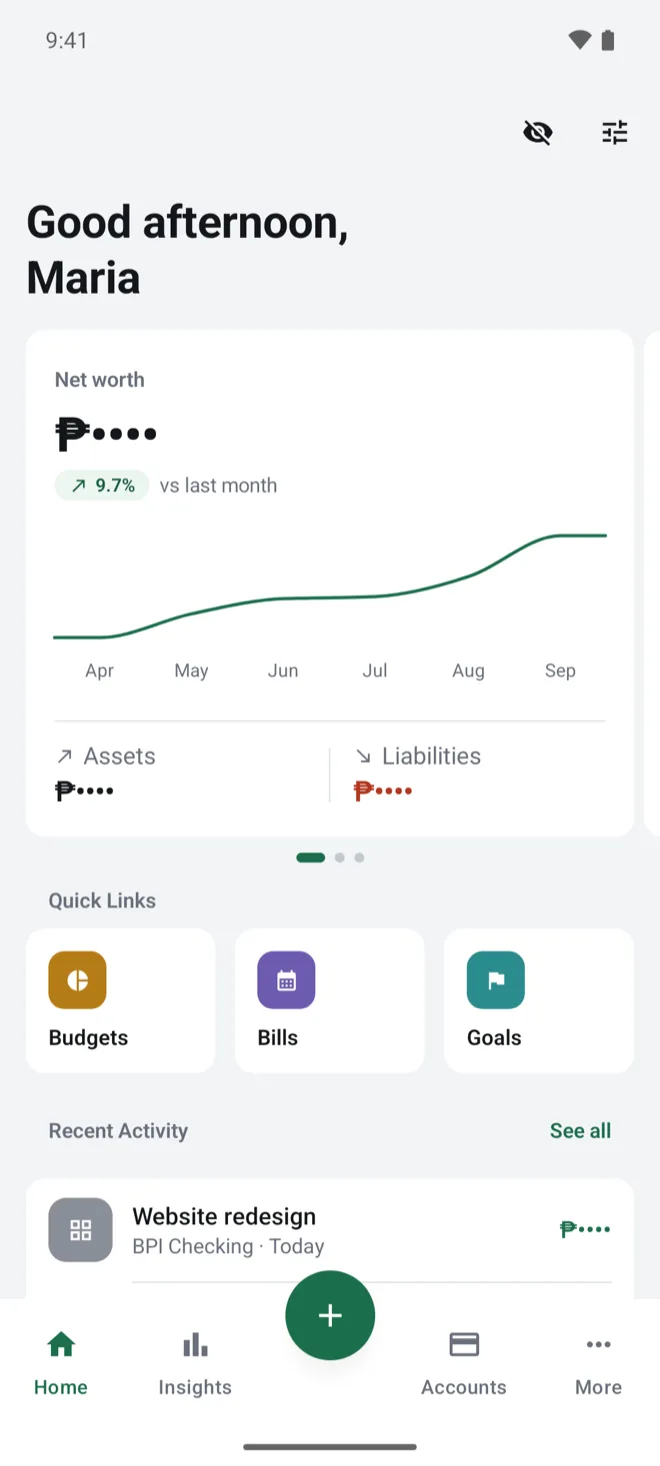
The Home screen with amounts hidden: net worth, assets, liabilities and recent activity all show dots instead of figures; only the 9.7% change stays visible.

The essentials

Bills, budgets and goals, each one a tap from Home.

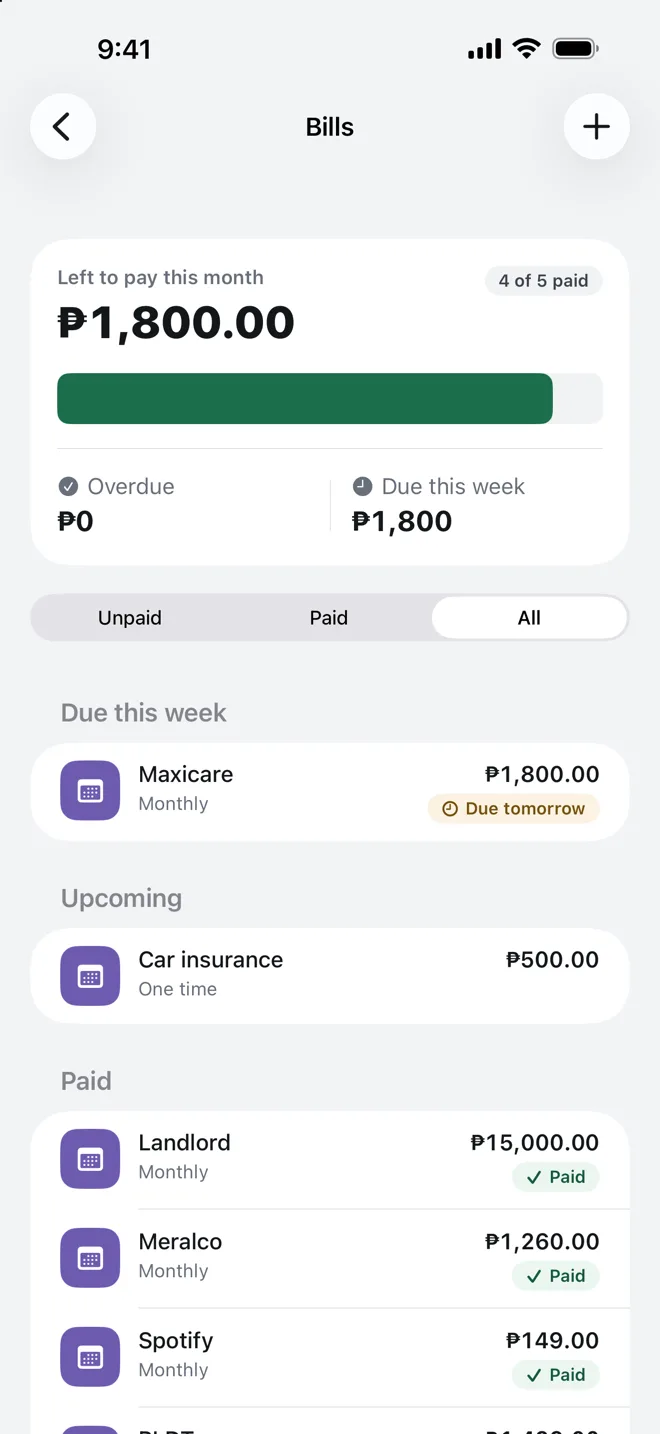
  • Bills: ₱1,800.00 left to pay this month, 4 of 5 paid, with Maxicare due tomorrow, car insurance upcoming, and Landlord, Meralco and Spotify marked paid.
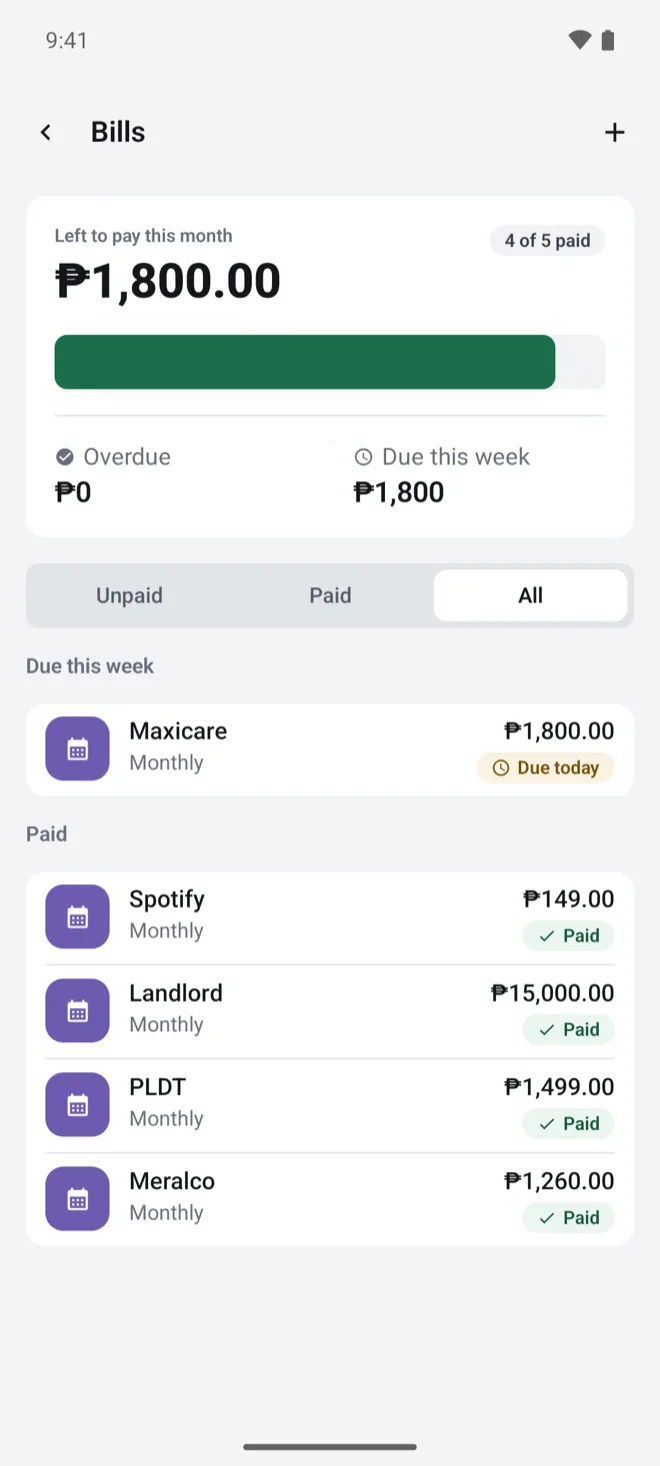
    Bills: ₱1,800.00 left to pay this month, 4 of 5 paid, with Maxicare due today, and Spotify, Landlord, PLDT and Meralco marked paid.

    Know what's left to pay

    What's still due this month, what's coming up, and what's already paid.

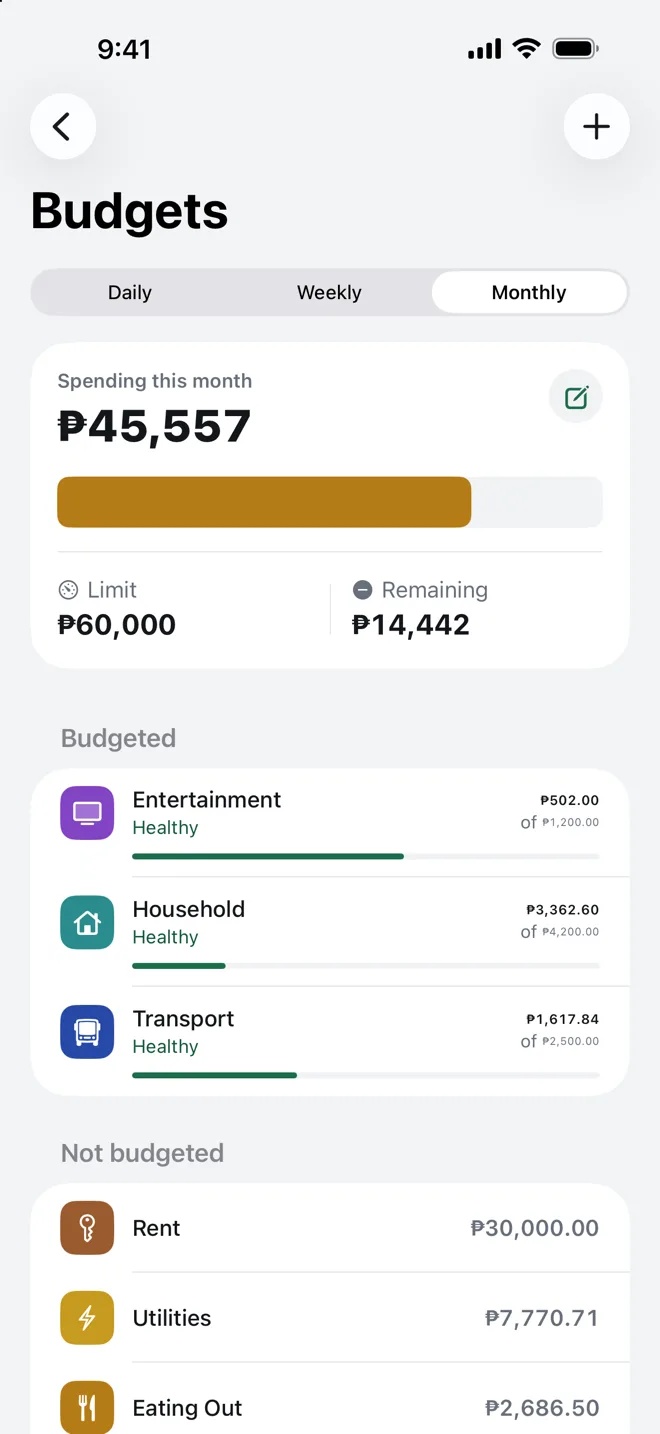
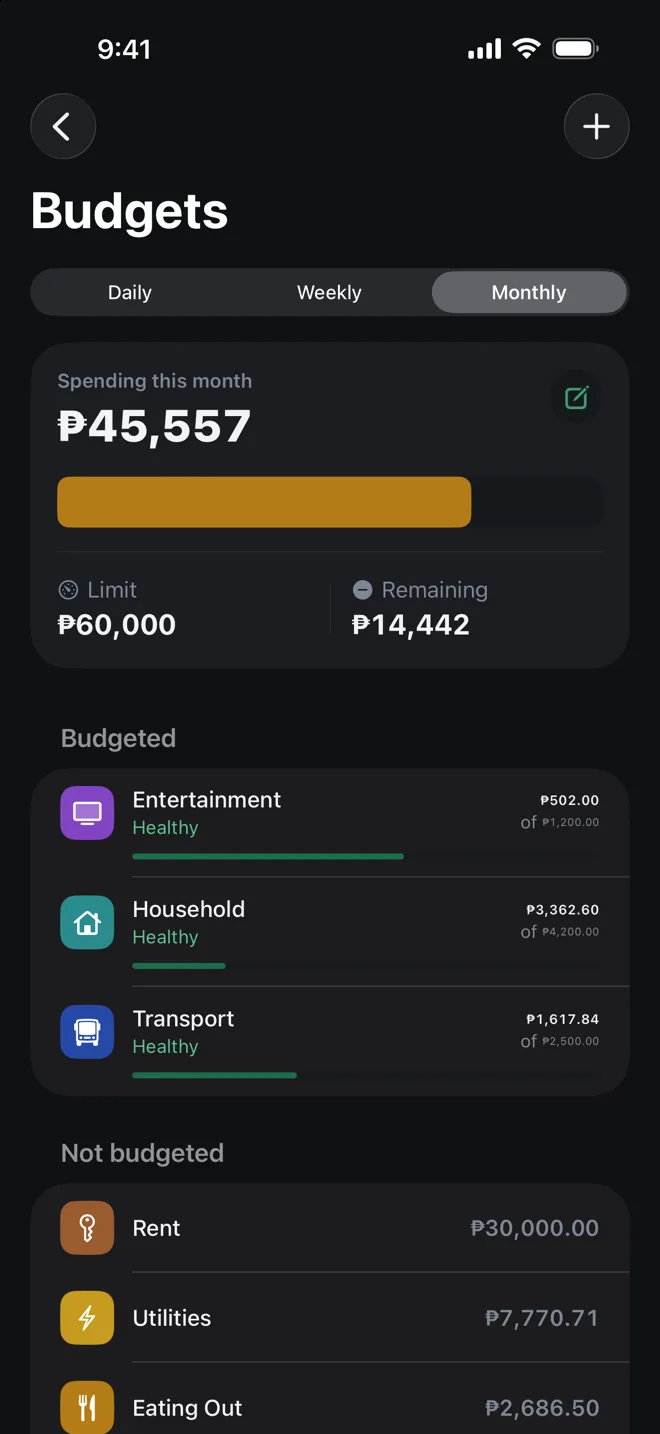
  • Budgets: ₱45,557 spent of a ₱60,000 monthly limit, ₱14,442 remaining, with Entertainment, Household and Transport each marked Healthy. Budgets: ₱45,557 spent of a ₱60,000 monthly limit, ₱14,442 remaining, with Entertainment, Household and Transport each marked Healthy.
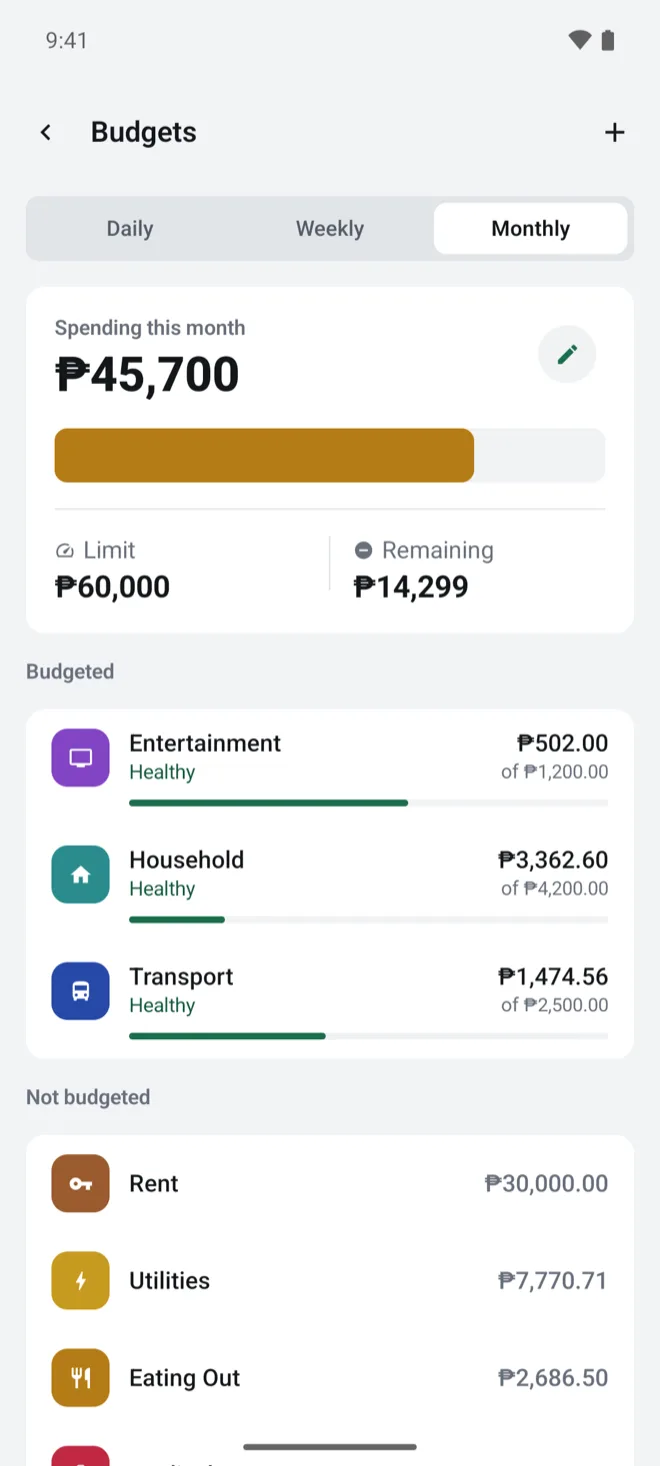
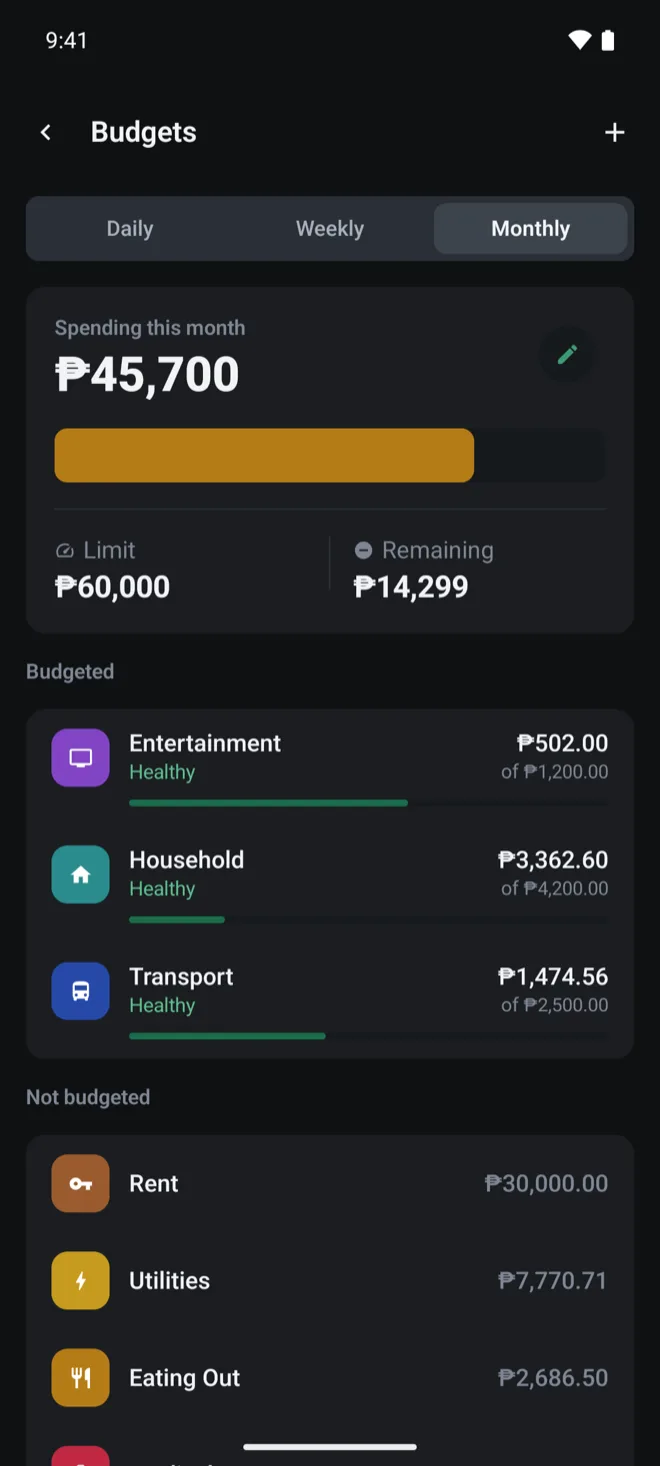
    Budgets, monthly: ₱45,700 spent this month of a ₱60,000 limit, ₱14,299 remaining, with Entertainment, Household and Transport each marked Healthy. Budgets, monthly: ₱45,700 spent this month of a ₱60,000 limit, ₱14,299 remaining, with Entertainment, Household and Transport each marked Healthy.

    Spend with a limit in view

    Give a category a budget, then see how much is left and whether it's still healthy.

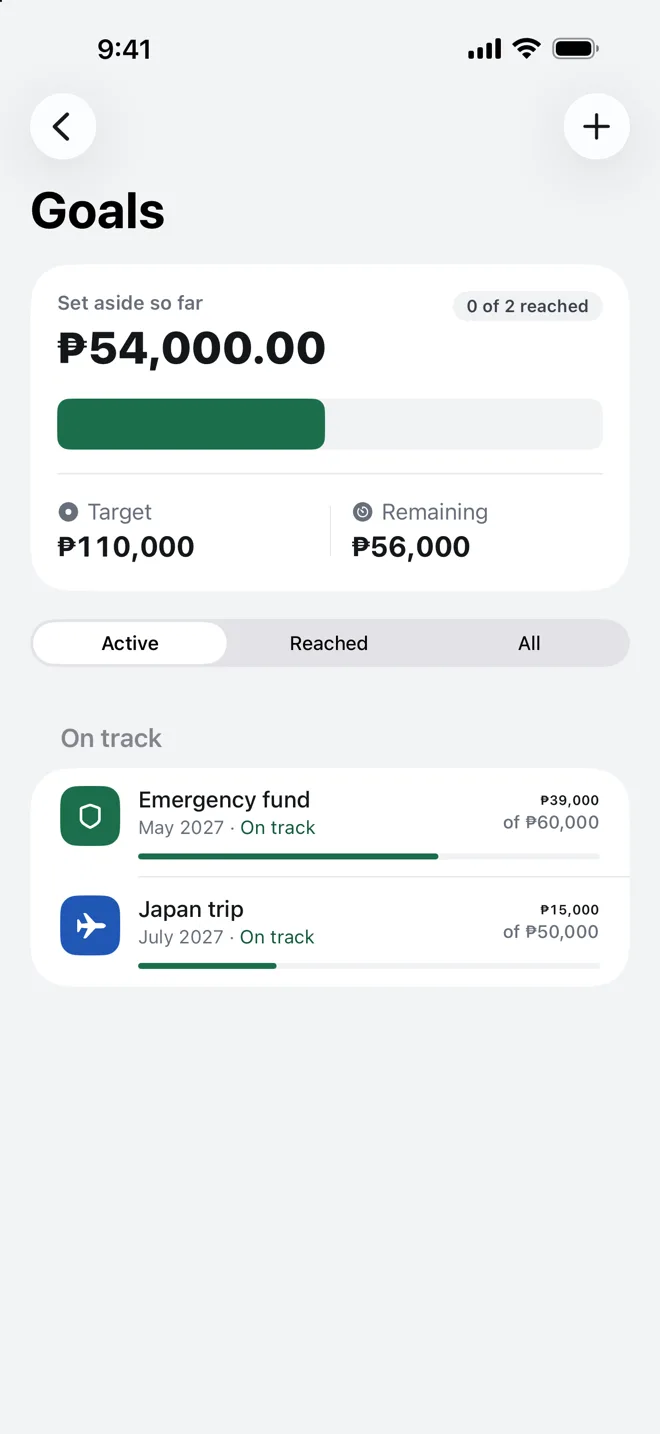
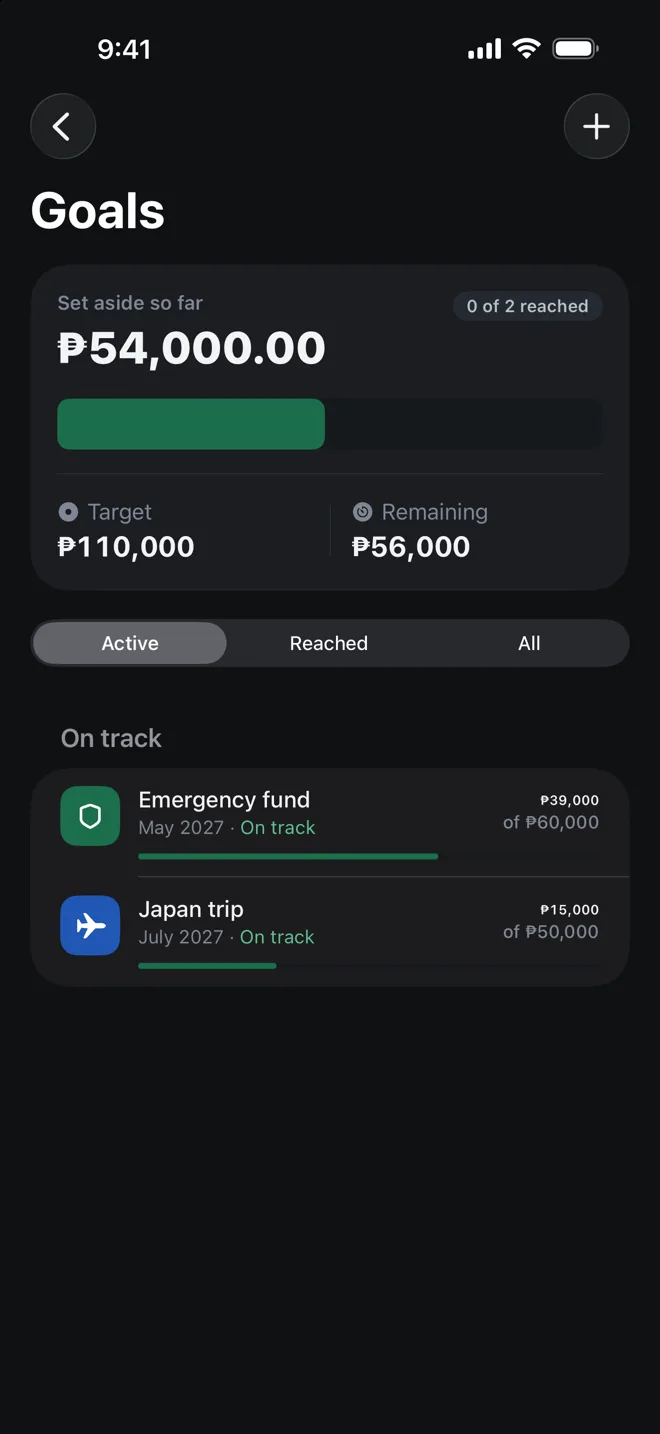
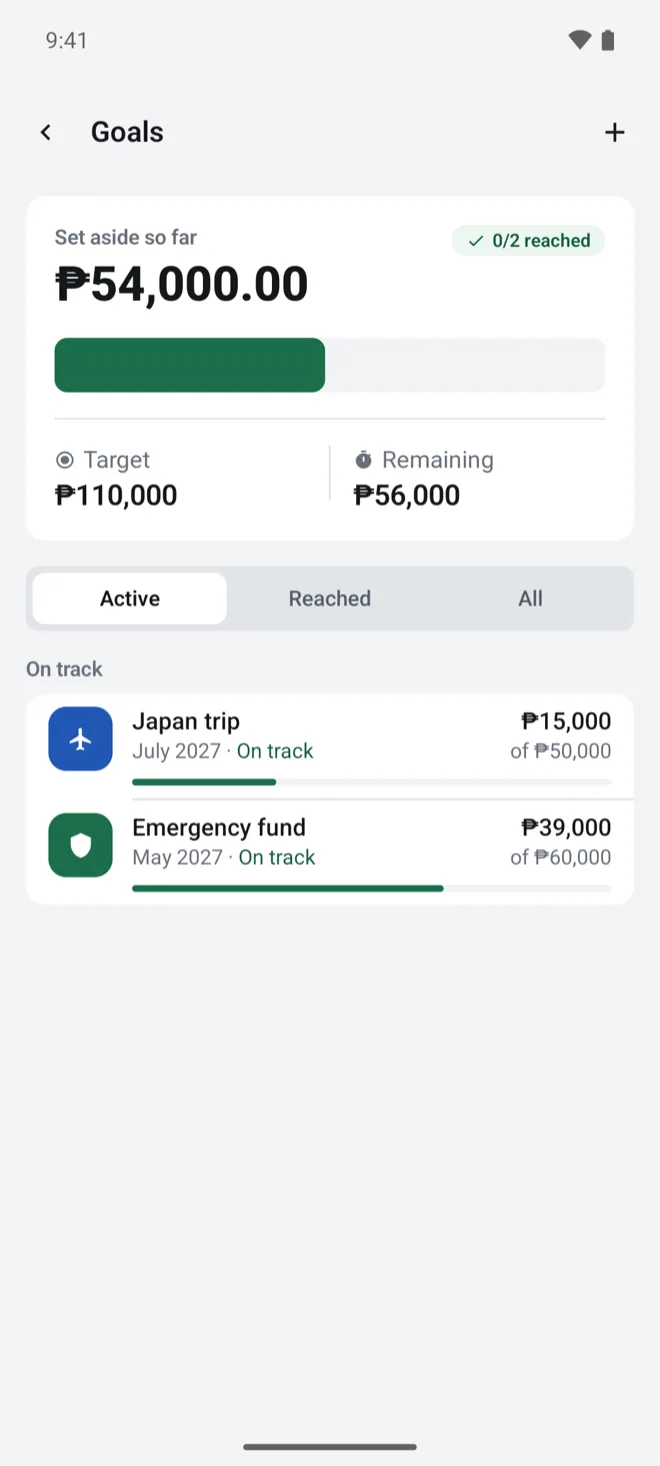
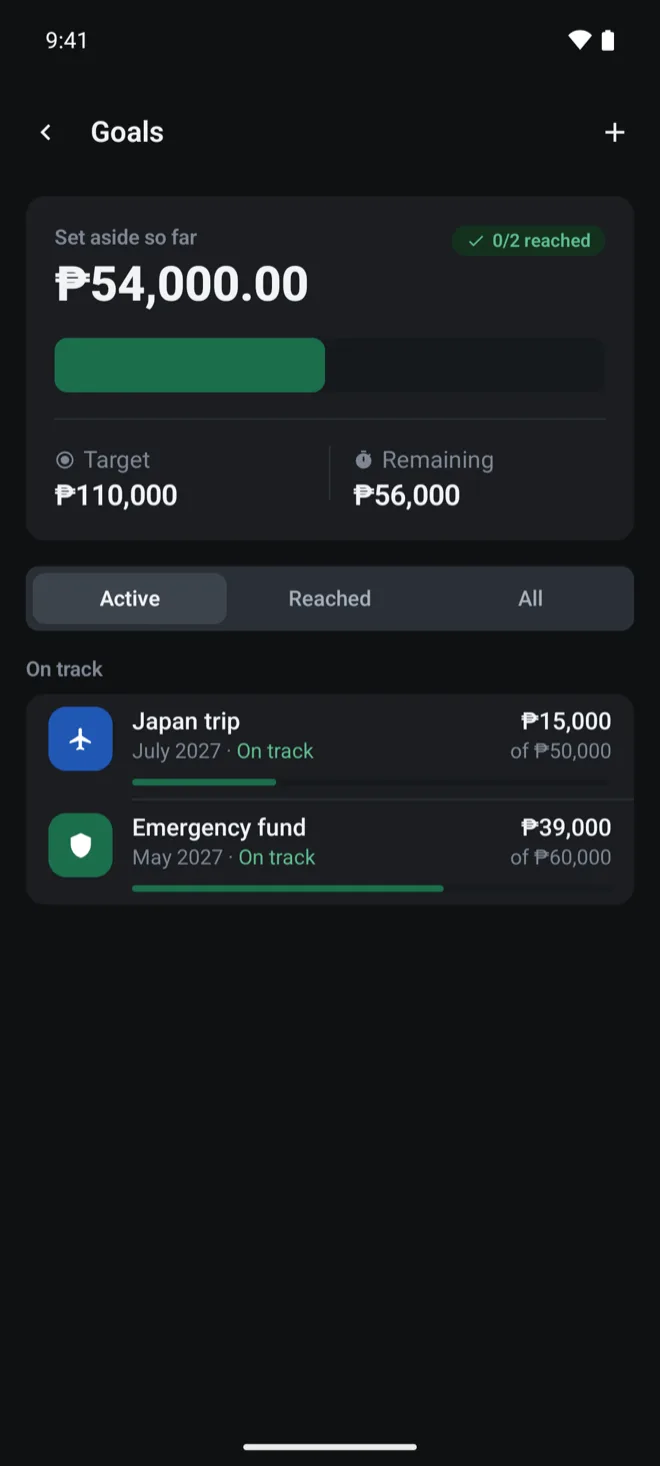
  • Goals: ₱54,000.00 set aside toward a ₱110,000 target, with an emergency fund and a Japan trip, both on track. Goals: ₱54,000.00 set aside toward a ₱110,000 target, with an emergency fund and a Japan trip, both on track.
    Goals: ₱54,000.00 set aside toward a ₱110,000 target, with a Japan trip and an emergency fund, both on track. Goals: ₱54,000.00 set aside toward a ₱110,000 target, with a Japan trip and an emergency fund, both on track.

    Save toward something

    Set a target and a date, put money aside, and see whether each goal is on track.

Everything else

Where the money went, every entry day by day, and one tap to hide the amounts.how this month compares with the last.

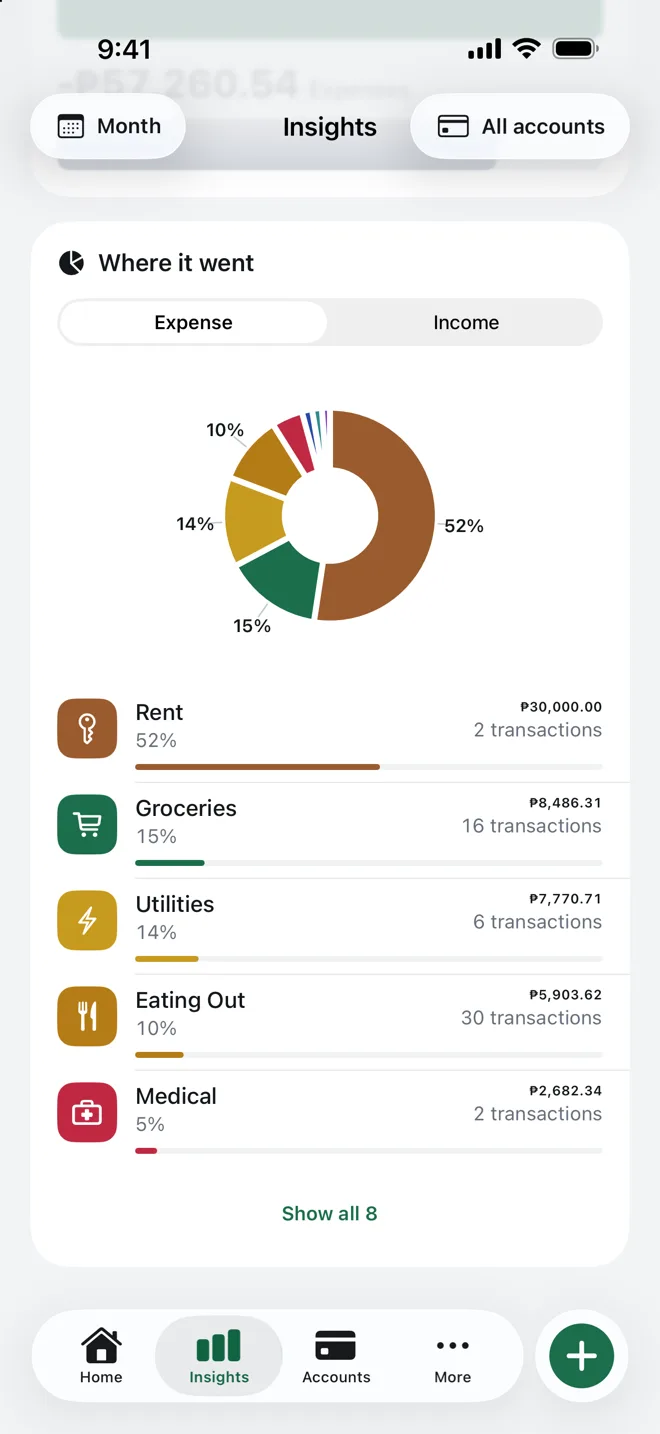
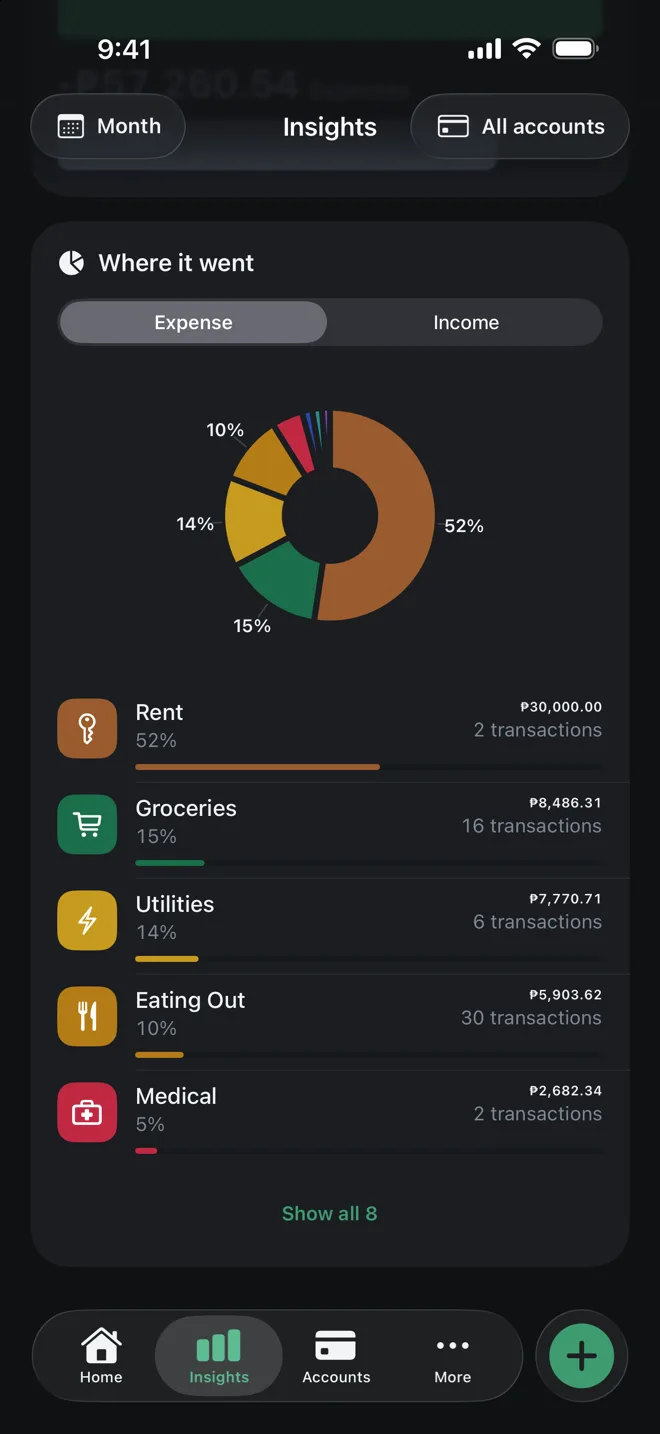
  • Insights, Where it went: a ring chart of this month's expenses by category, led by Rent at 52%, then Groceries, Utilities, Eating Out and Medical. Insights, Where it went: a ring chart of this month's expenses by category, led by Rent at 52%, then Groceries, Utilities, Eating Out and Medical.
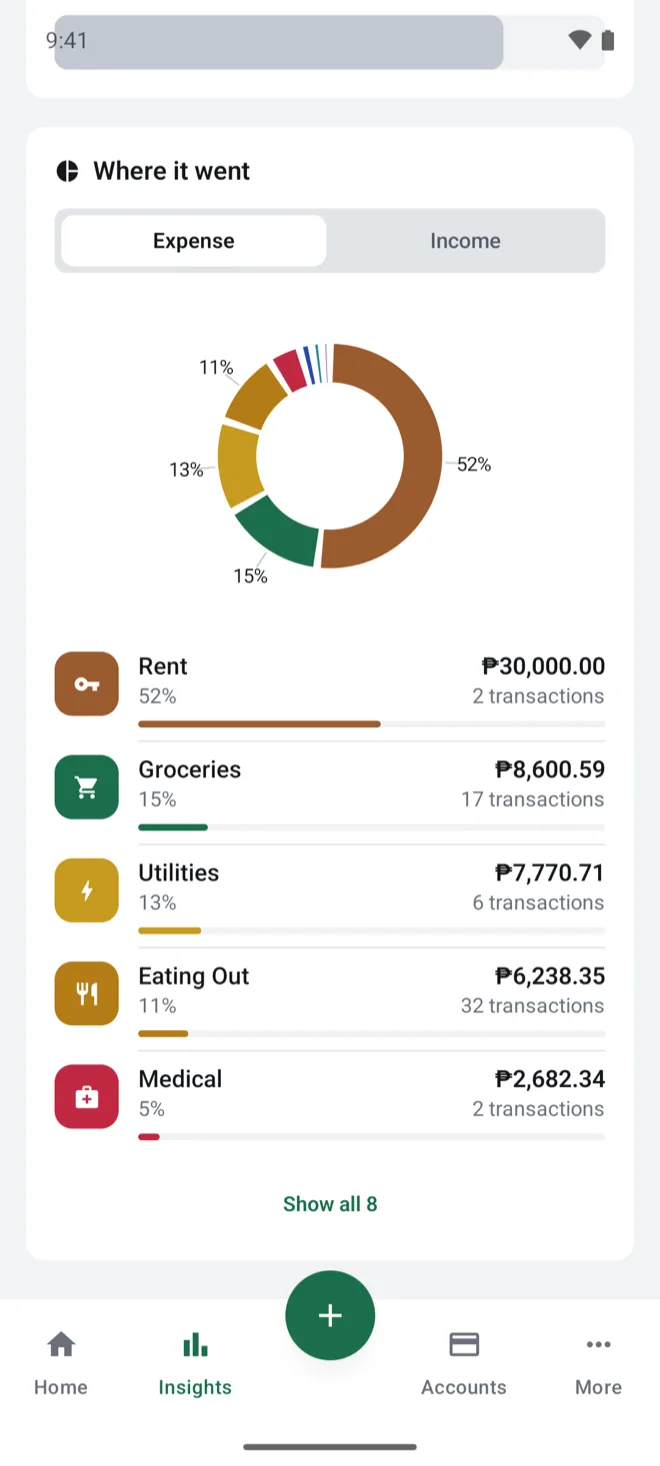
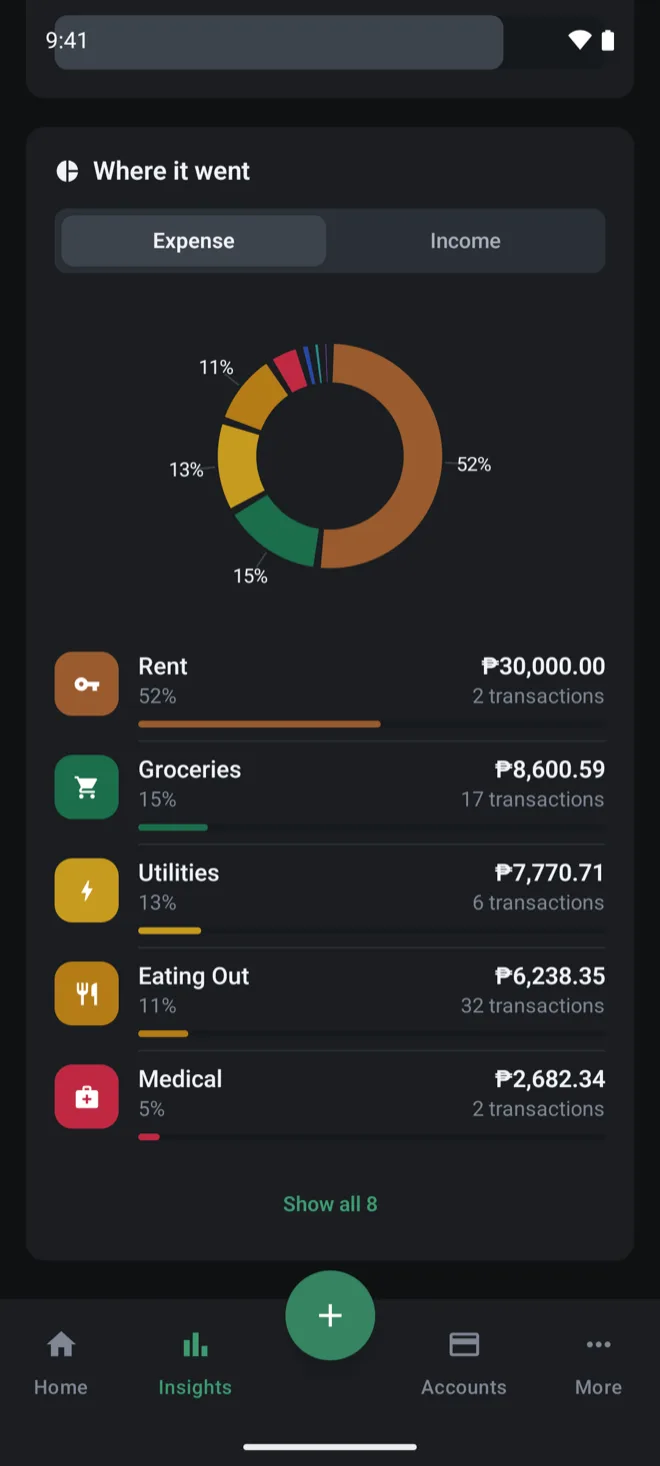
    Insights, Where it went: a ring chart of expenses by category, led by Rent at 52%, then Groceries at 15%, Utilities at 13%, Eating Out at 11% and Medical at 5%. Insights, Where it went: a ring chart of expenses by category, led by Rent at 52%, then Groceries at 15%, Utilities at 13%, Eating Out at 11% and Medical at 5%.

    Break down the month

    Every expense by category. Switch to income to see where the money came from.

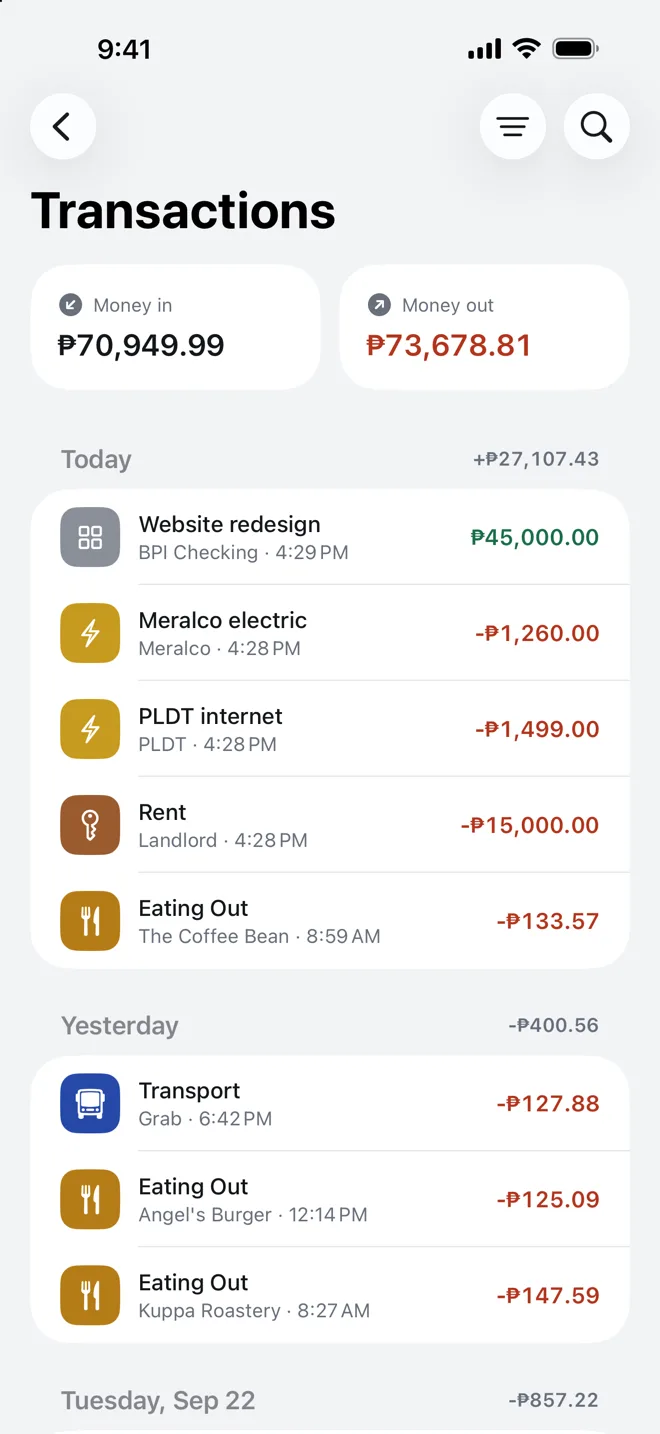
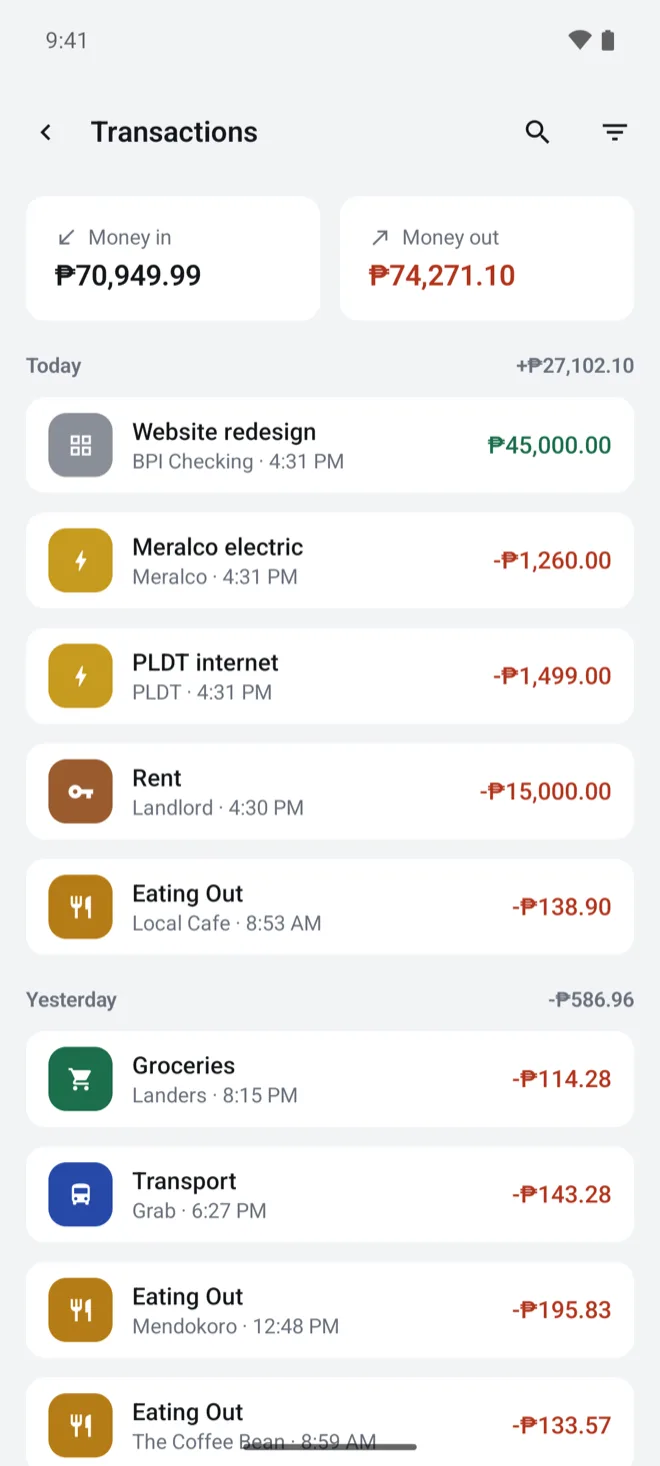
  • Transactions: money in and money out for the period, then the ledger grouped under Today and Yesterday.
    Transactions: ₱70,949.99 in and ₱74,271.10 out for the period, then the ledger grouped under Today and Yesterday, starting with ₱45,000.00 from Website redesign.

    Look back over every entry

    The full ledger, grouped by day.

  • The Home screen with amounts hidden: net worth, assets, liabilities and recent activity all show dots instead of figures.

    Keep the numbers to yourself

    Tap the eye on Home and every amount turns to dots.

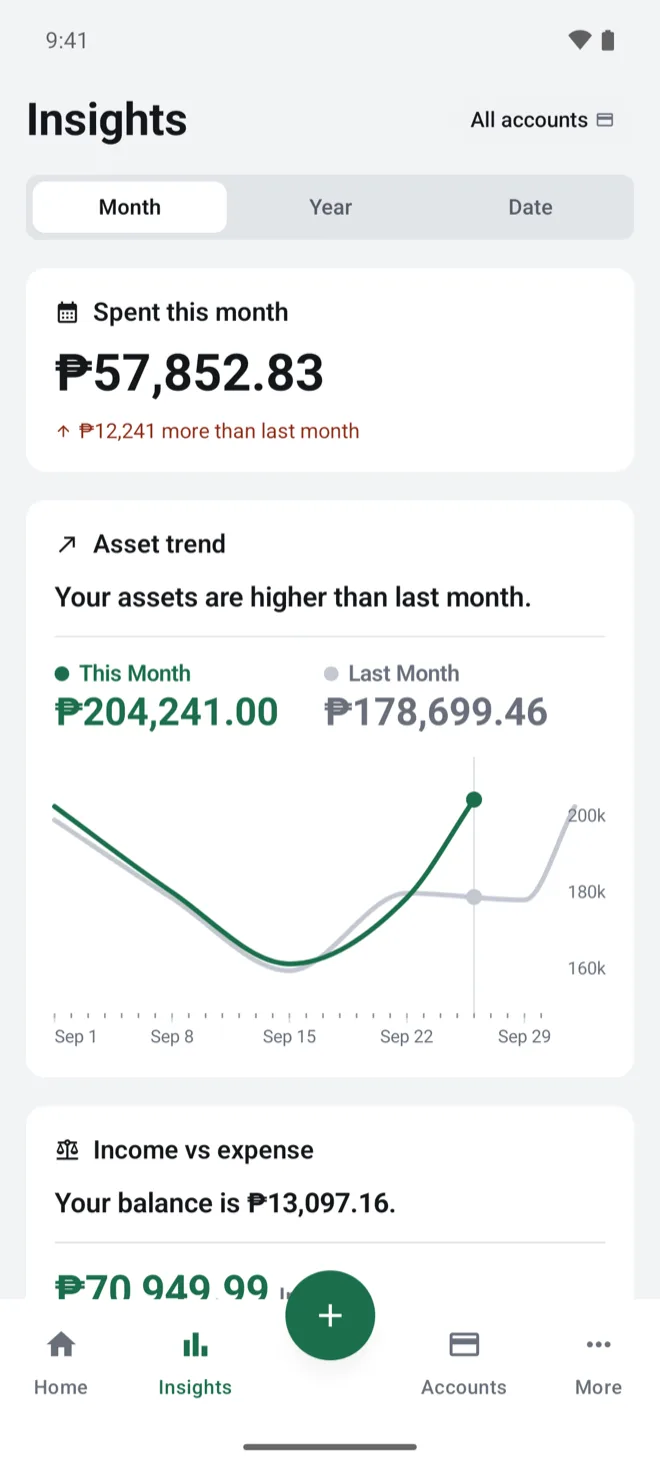
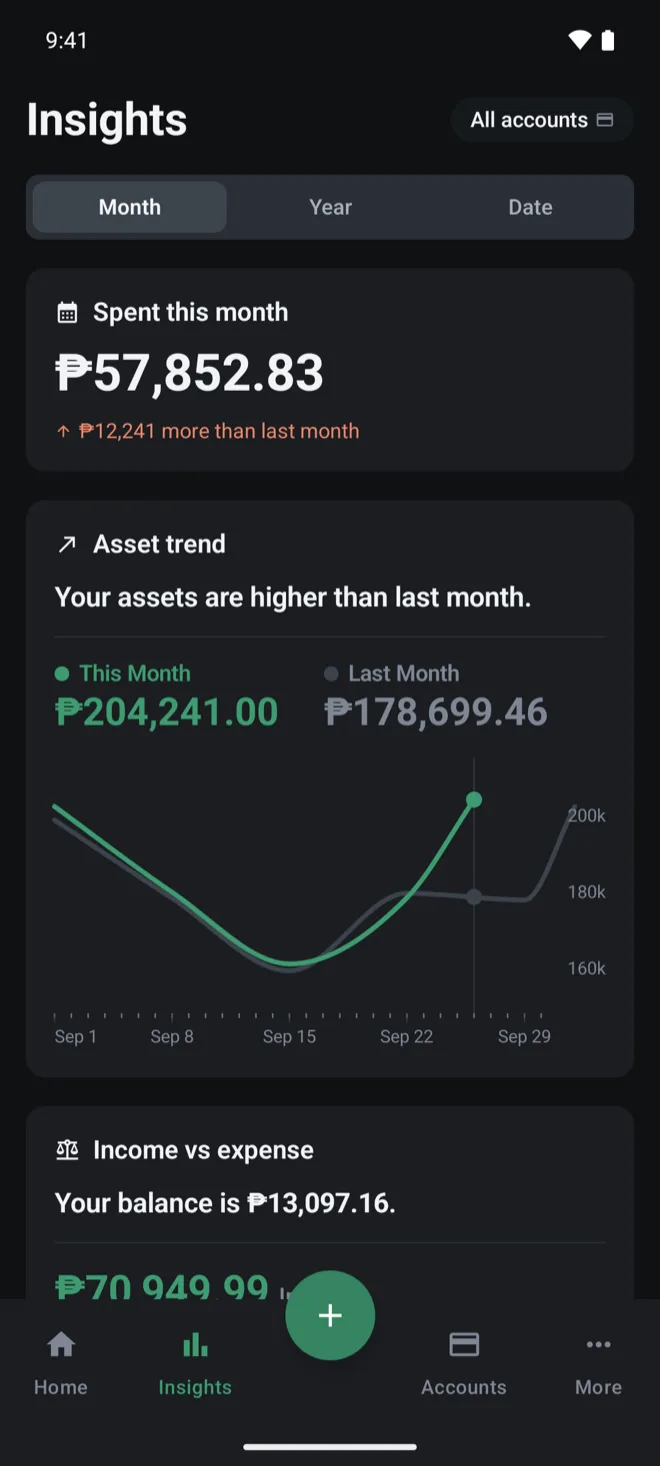
  • Insights for the month: ₱57,852.83 spent this month, ₱12,241 more than last month, and an asset trend of ₱204,241.00 this month against ₱178,699.46 last month. Insights for the month: ₱57,852.83 spent this month, ₱12,241 more than last month, and an asset trend of ₱204,241.00 this month against ₱178,699.46 last month.

    Check how this month compares

    This month against last, and where your assets are heading.

Privacy

Private by default

No bank sync, no sign-in. Your data stays on your iPhone unless you turn on iCloud sync or export it.Your data stays on your phone unless you export it or move it to a new phone with Android's transfer tool. Every figure in Perawise is one you entered yourself.

  • iCloud sync is optional, with Perawise Pro. It stays off until you turn it on, and it uses your own private iCloud.
  • App Lock with Face ID or Touch IDyour biometrics or screen lock.
  • Export to CSV whenever you want your ledger somewhere else.
Read the privacy policy Read the privacy policy

What Perawise doesn't have

Accounts to sign up for
0
Servers of its own
0
Bank connections
0
Analytics, ads or third-party SDKs or ads
0